One system. The whole shop. We run it.
This is the print shop management system we run for every member shop - ecommerce storefront and operations working as one system, with us as the tech team behind it. Orders flow from your website directly into production - no manual entry, no disconnected apps, no gaps. Already running real print shop operations handling daily orders, inventory, and production workflows. Approved shops go live in 4-6 weeks.
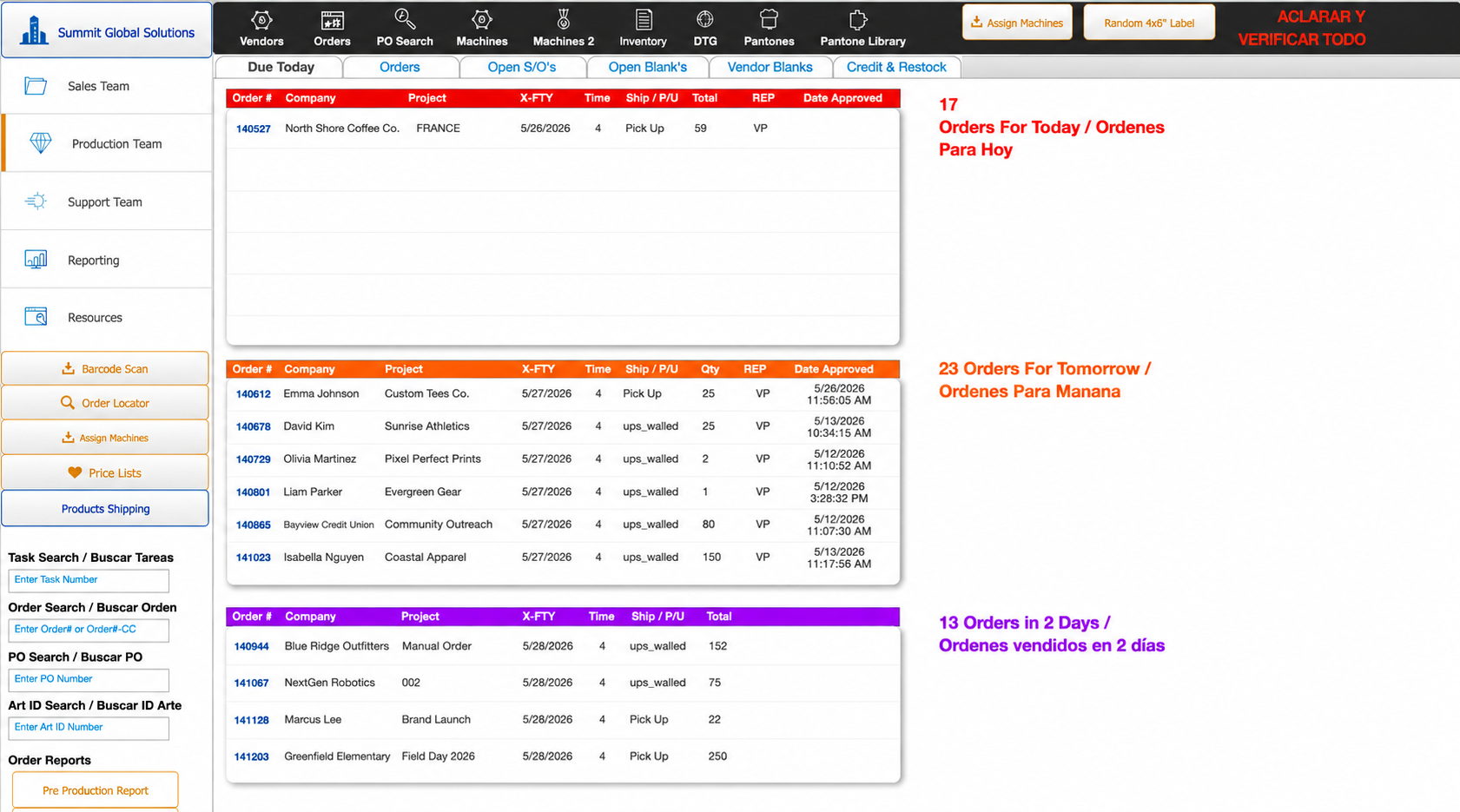
A Website That Works as Hard as You Do
More than a website - a complete online storefront with custom ordering, product configuration, and seamless checkout built for print shops.
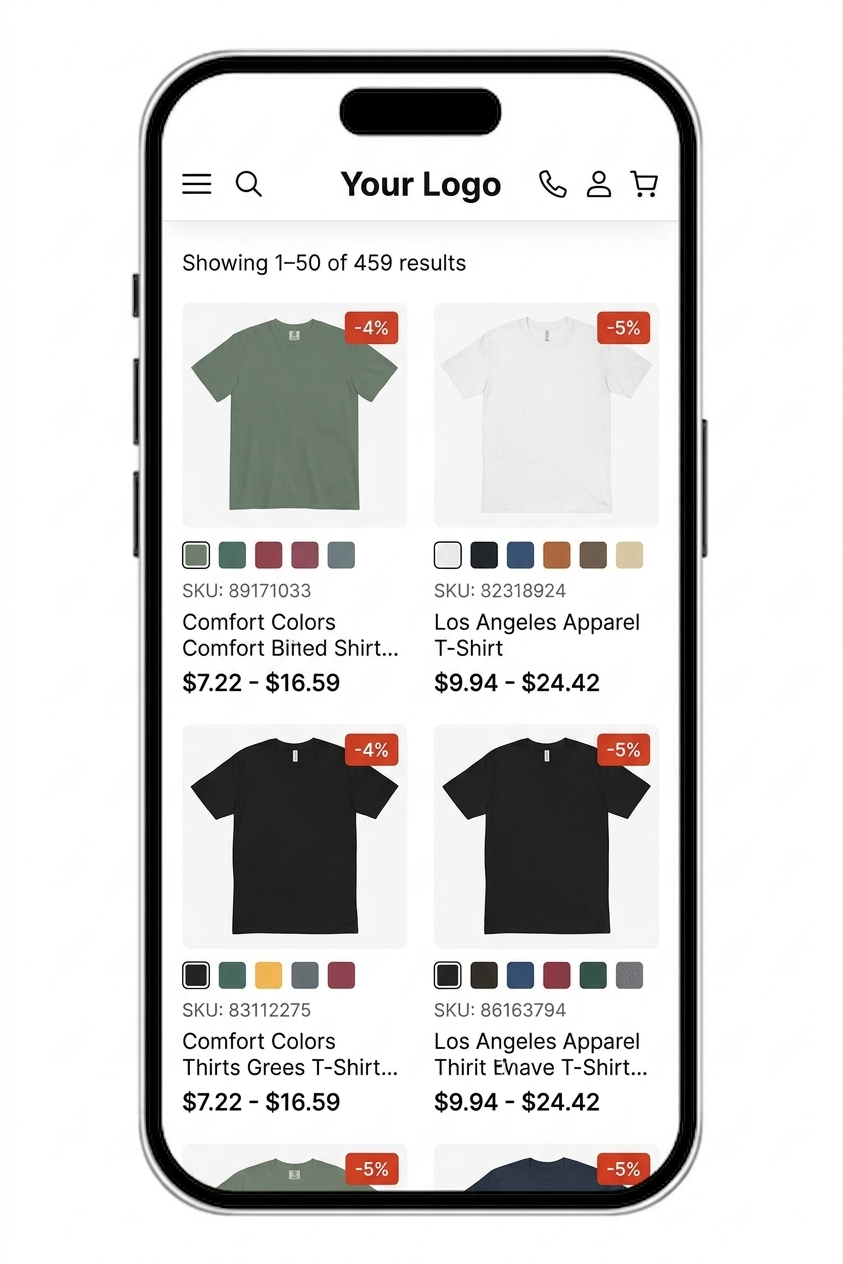
Mobile Responsive
Fully responsive design that looks and works perfectly on any device. Your customers can browse, configure, and order from their phone.
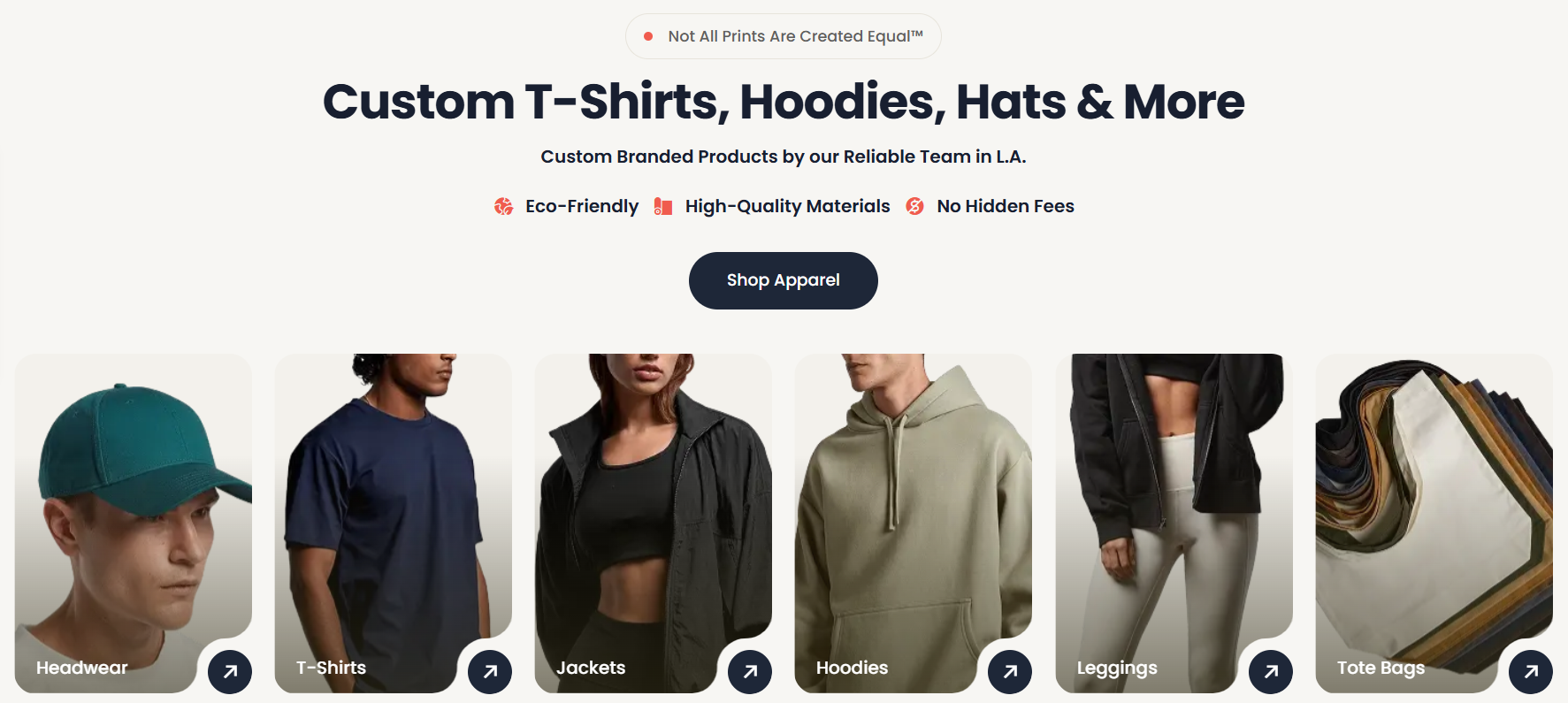
Custom Storefront
A fully branded storefront built for print shops. Showcase your products, services, and portfolio - designed to convert visitors into customers.
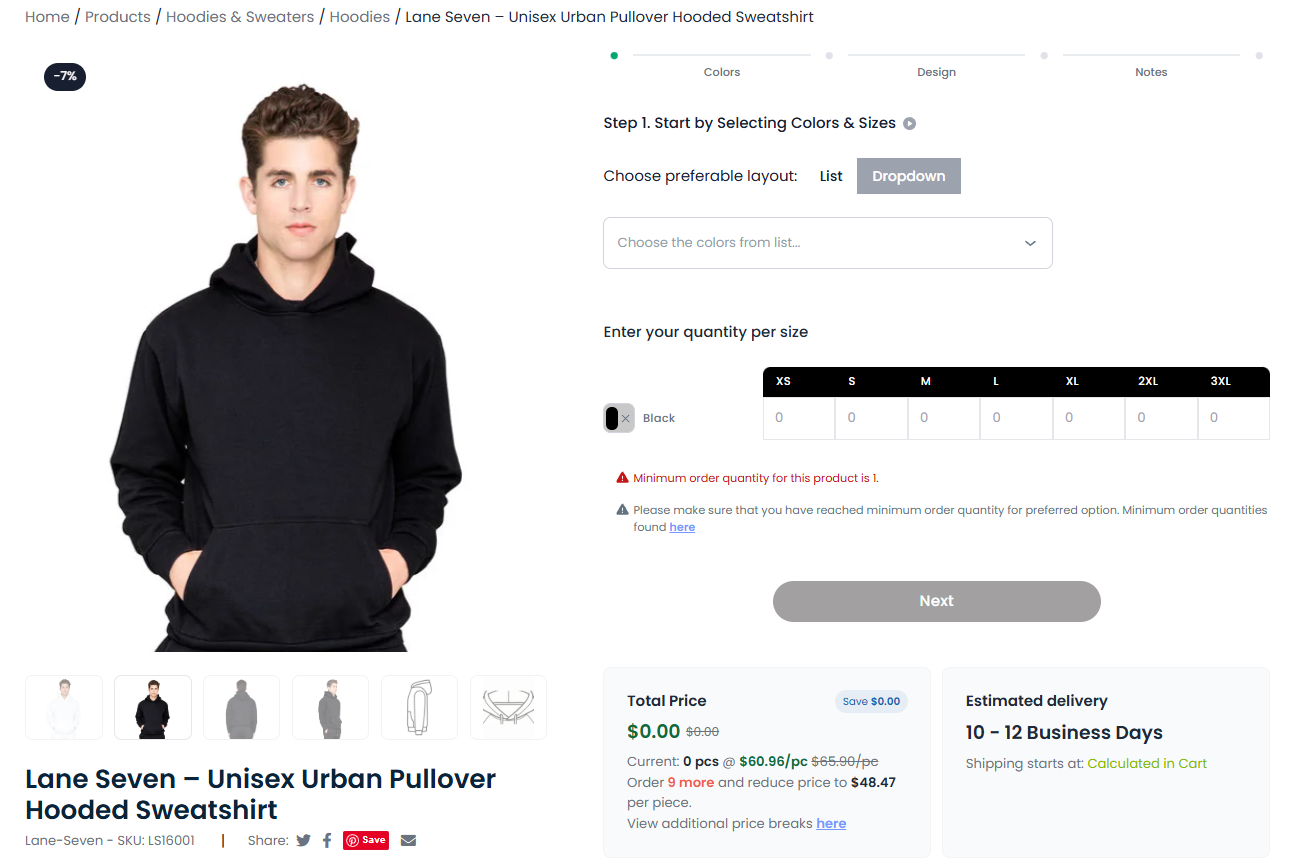
Product Catalog
A browsable, searchable product catalog that shows everything you offer - with real photos, color swatches, size breakdowns, and live pricing.
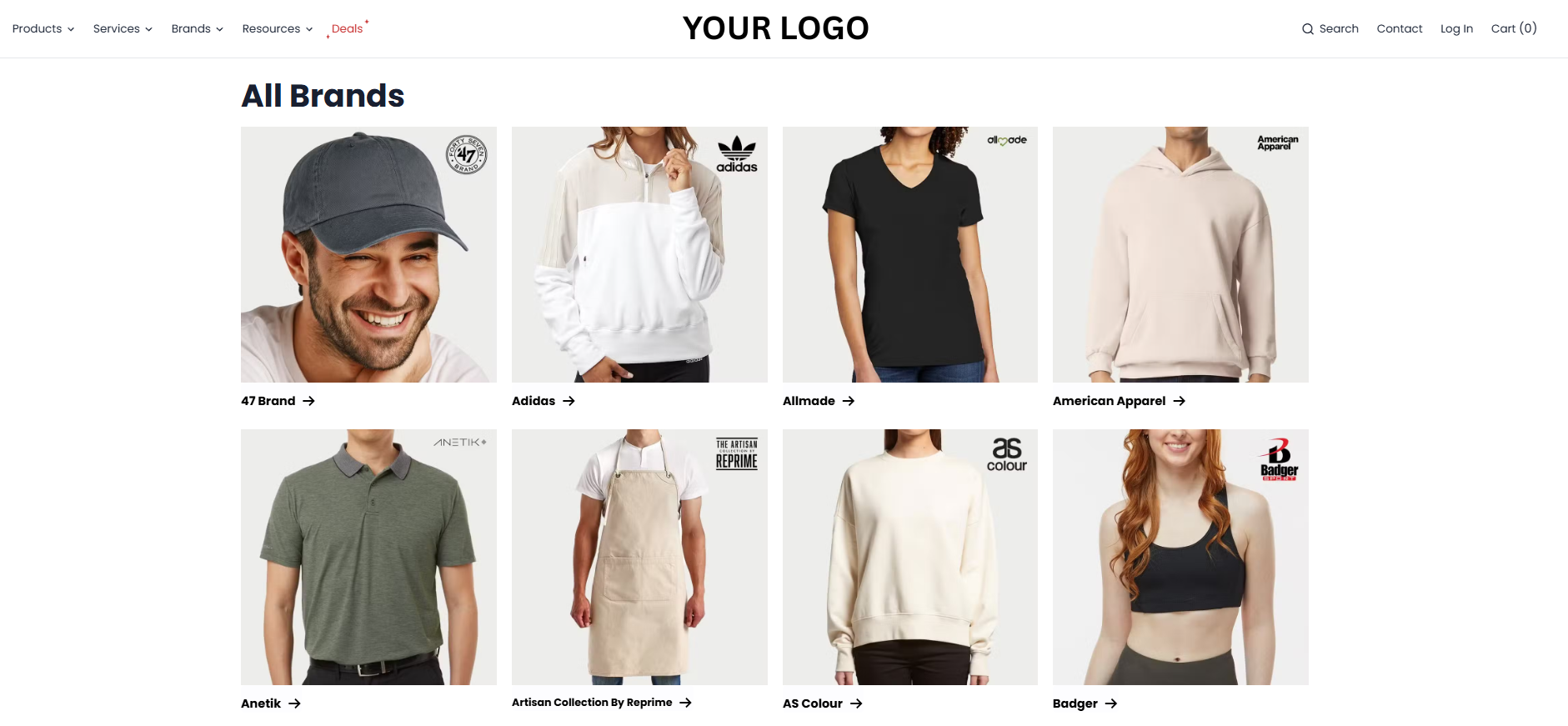
Brands
Showcase every brand you carry with dedicated brand pages. Customers browse by brand, see available styles, and order with confidence.
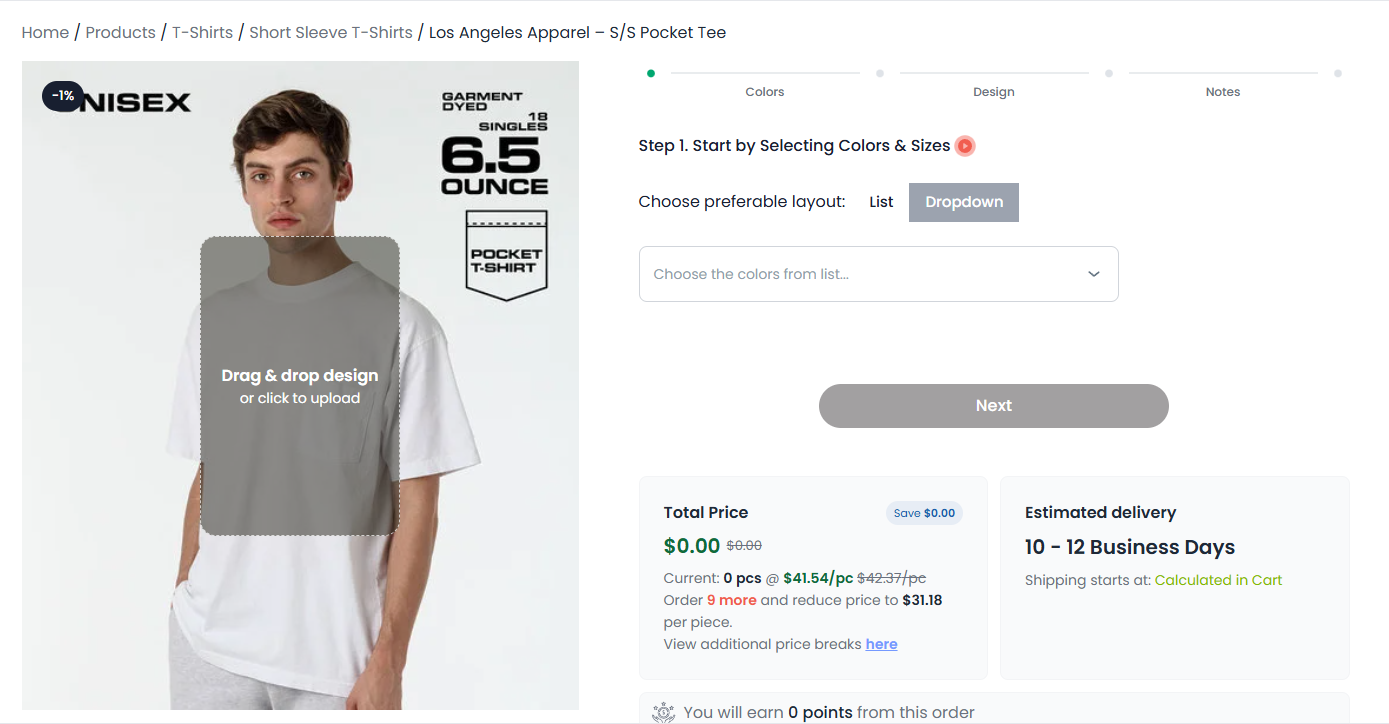
Drag & Drop Upload
Drag-and-drop file upload right on your website. Customers attach their artwork directly to their order - no emails, no confusion, no lost files.
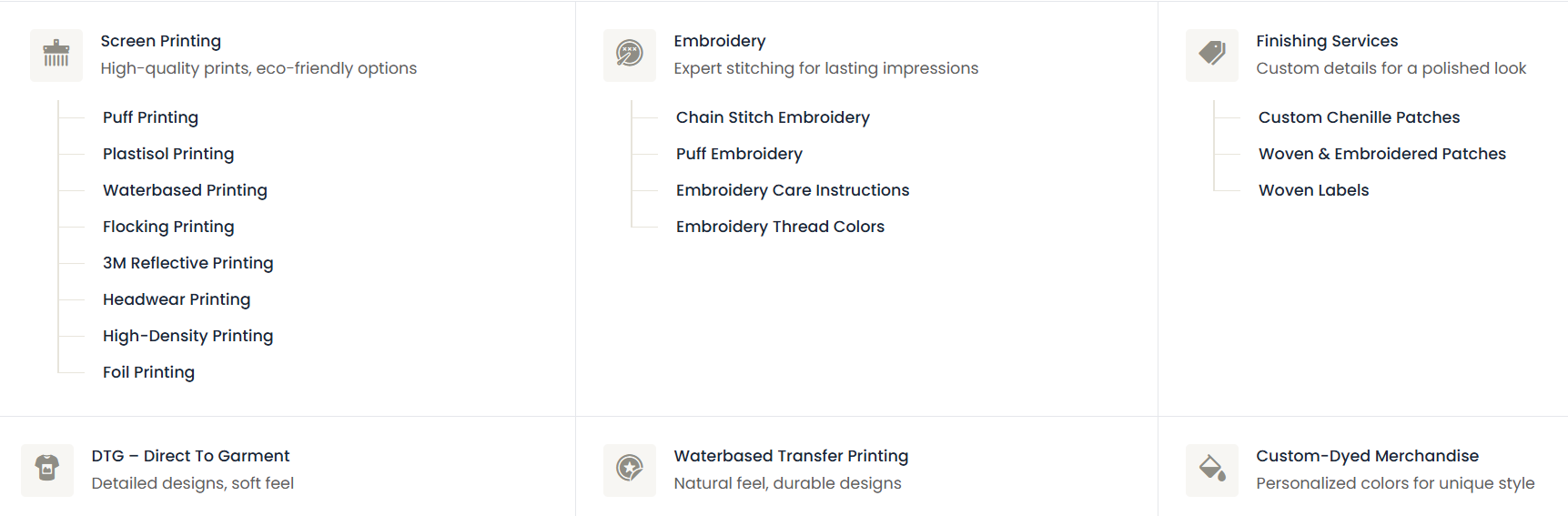
Services
Dedicated services pages that showcase every decoration method you offer. Customers understand your capabilities and order the right service from the start.
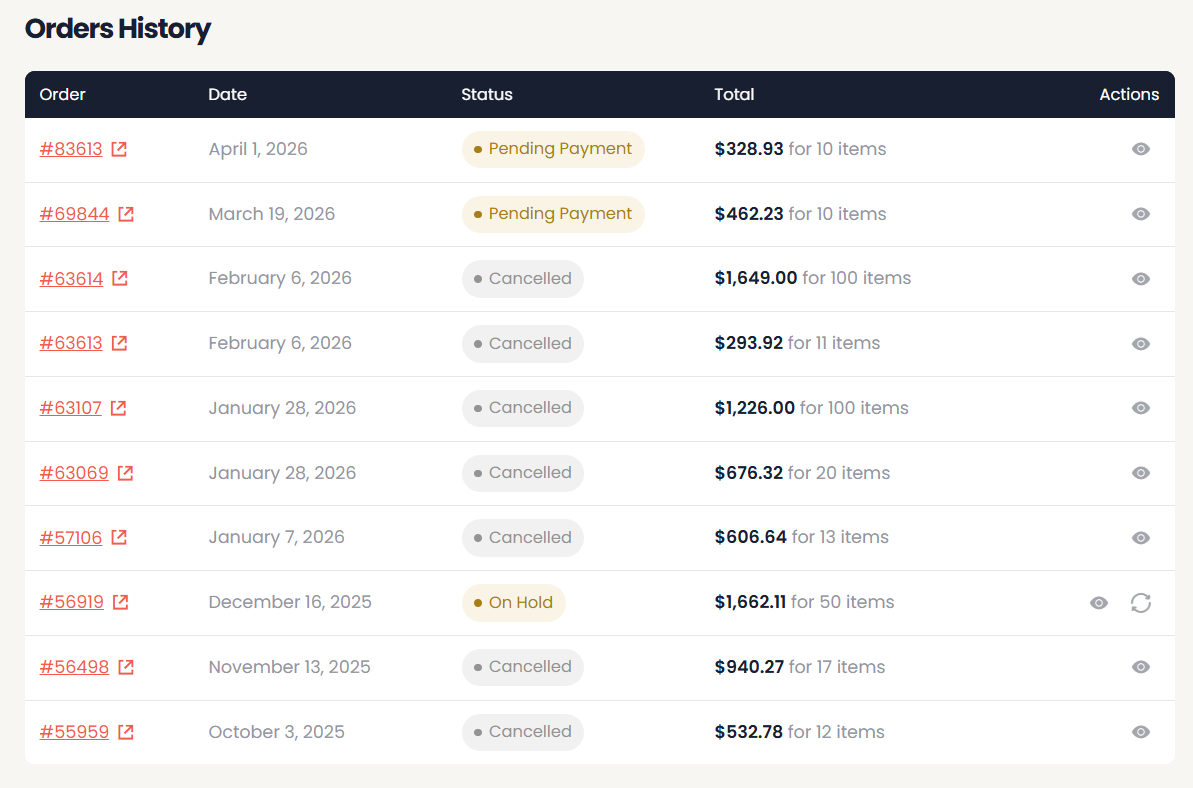
Customer Portal
Self-service customer portal with order tracking, history, reorder capability, and saved designs. Fewer support calls, happier customers.
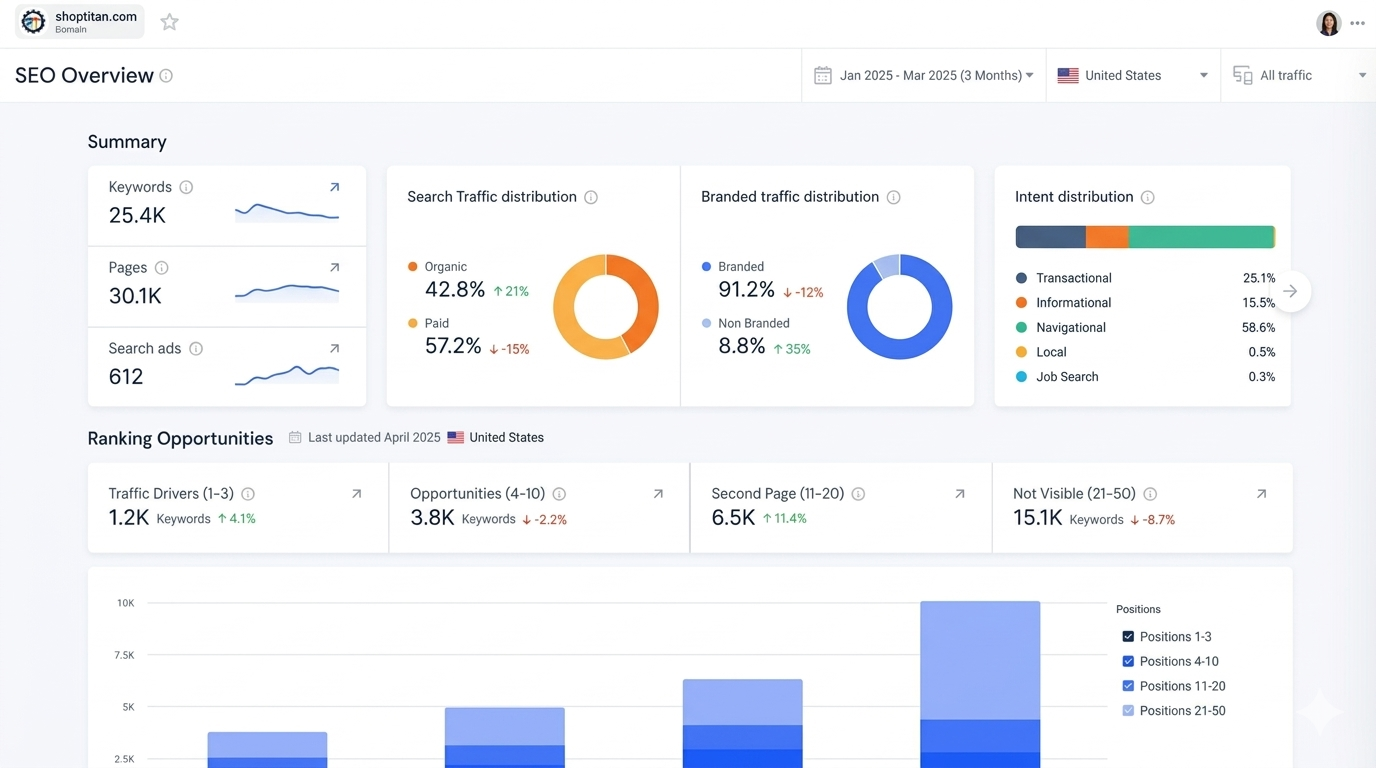
SEO & Analytics
Built-in SEO optimization, Google Analytics integration, and conversion tracking. Know where your traffic comes from and what converts.
Mobile Responsive
Fully responsive design that looks and works perfectly on any device. Your customers can browse, configure, and order from their phone.
Custom Storefront
A fully branded storefront built for print shops. Showcase your products, services, and portfolio - designed to convert visitors into customers.
Your Back Office, Fully Automated
A powerful FileMaker-based system that runs your entire operation - from quoting and orders to scheduling and analytics.
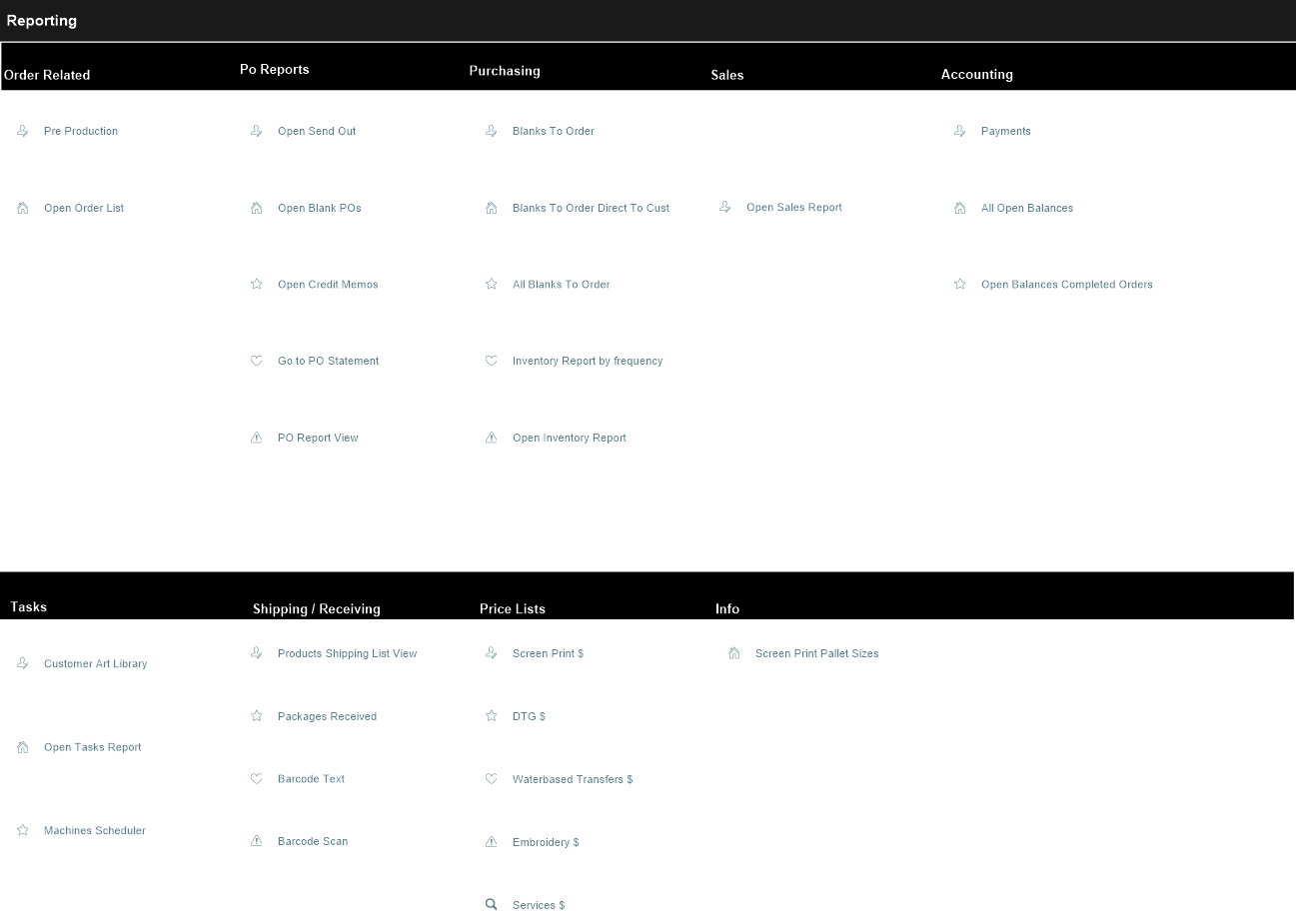
Reporting
Built-in reporting with real-time dashboards. Track revenue, production output, costs, and profitability - all from one place.
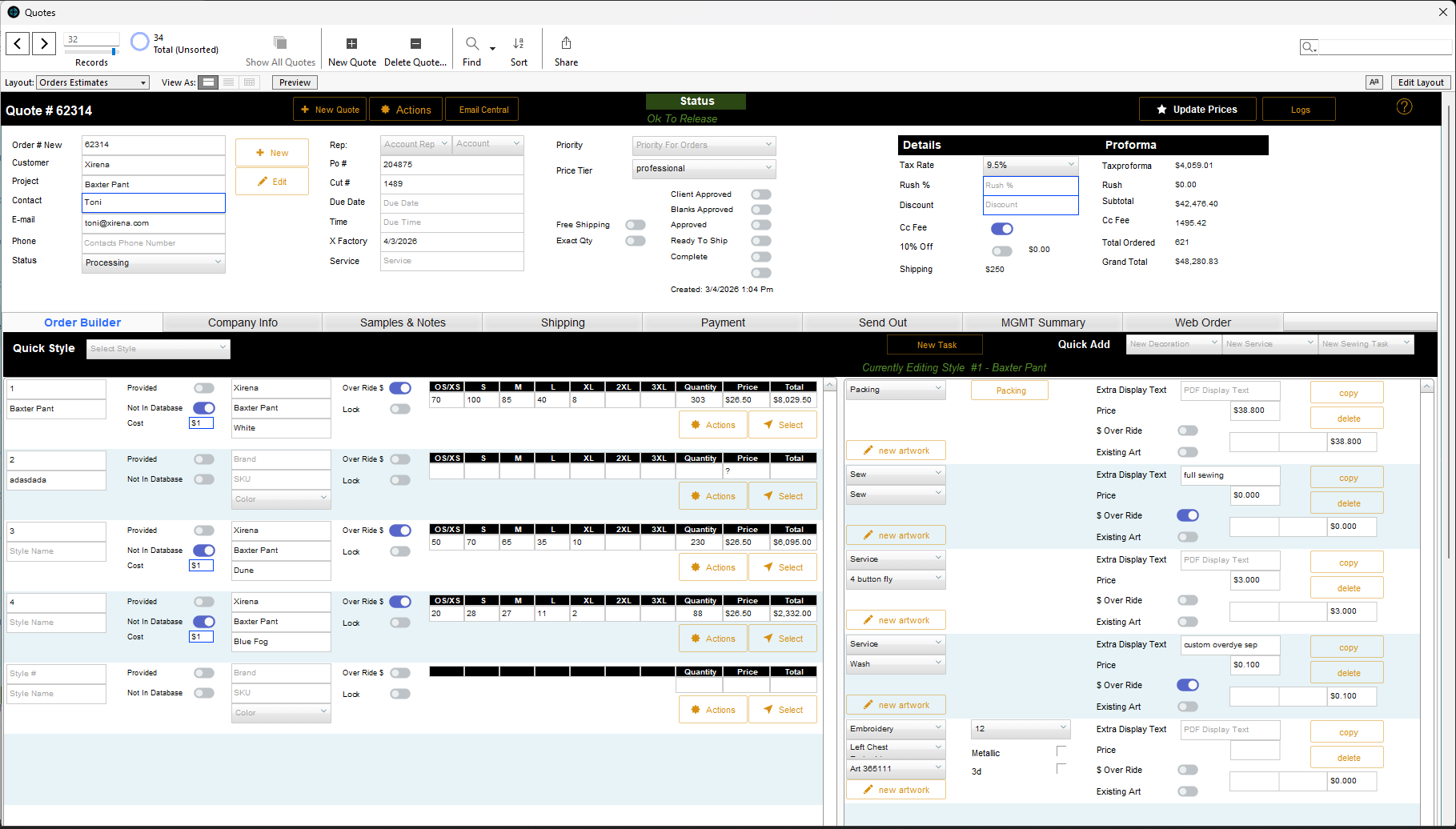
Quotes
Automated quote generation with intelligent pricing matrices. Template library, auto-calculations, and one-click PDF generation.
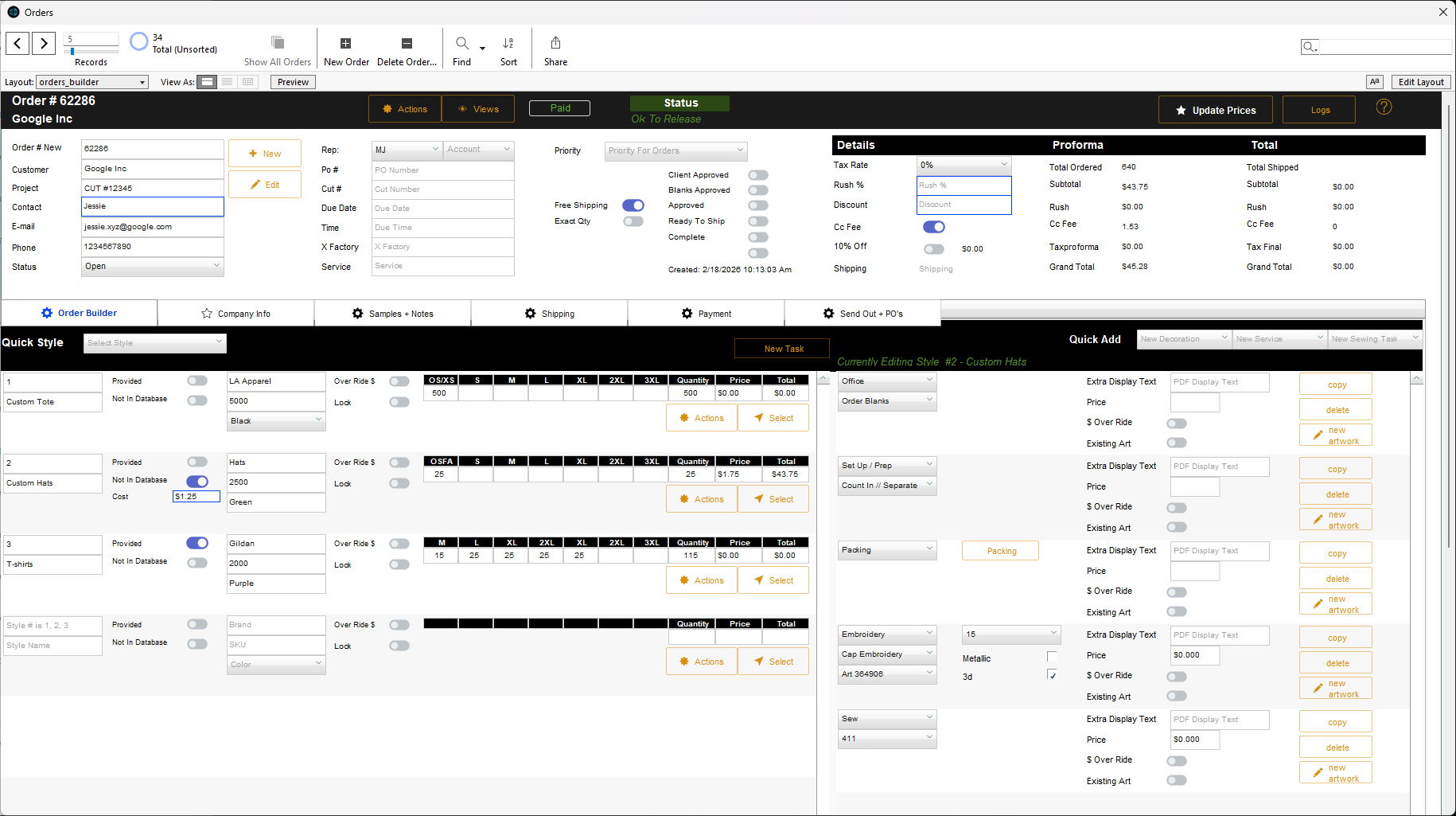
Orders
End-to-end order tracking with real-time status updates. Every garment's journey is logged, visible, and searchable from anywhere.
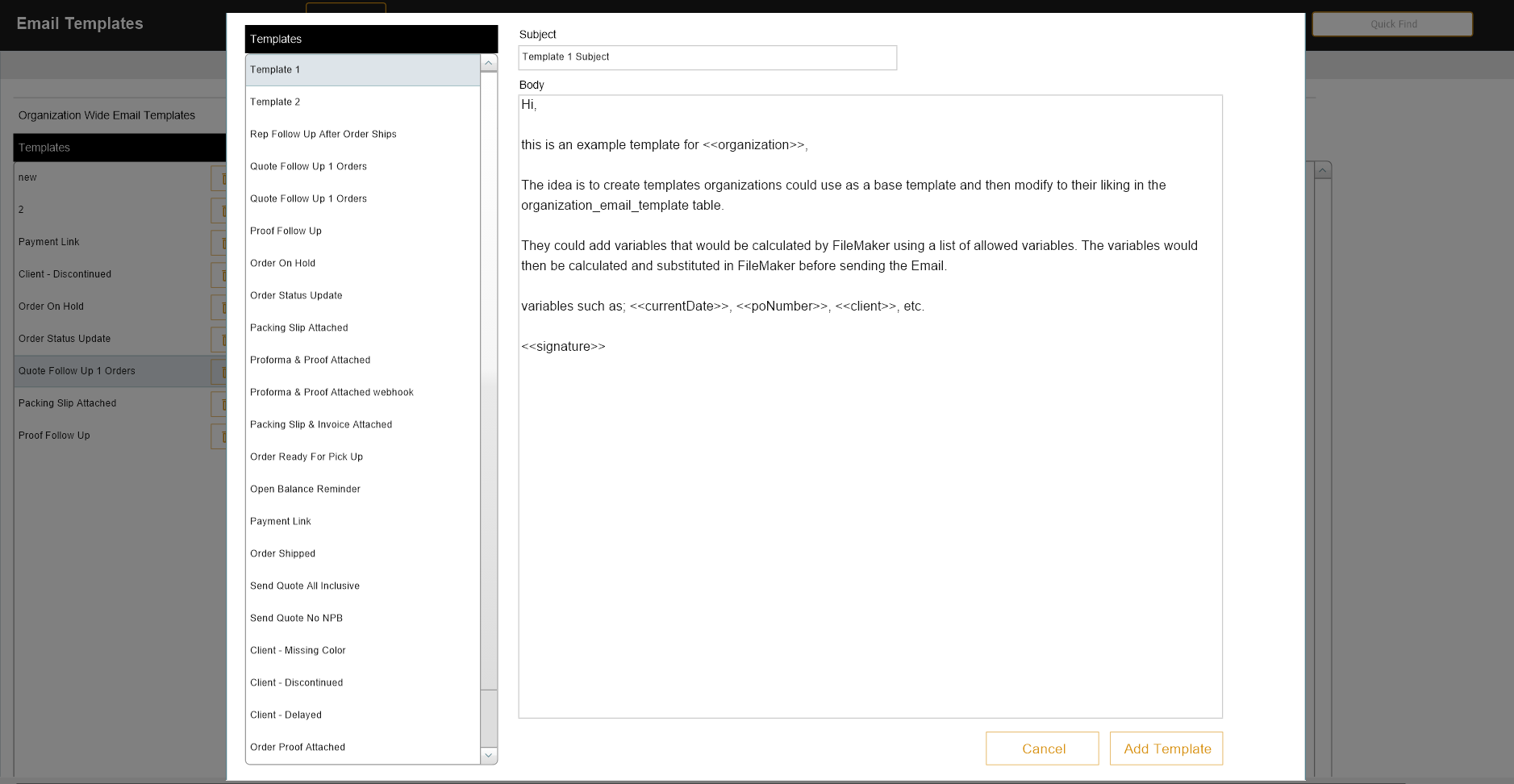
Email Templates
Professional, branded email templates for order confirmations, invoices, shipping updates, and more. Automated and consistent every time.
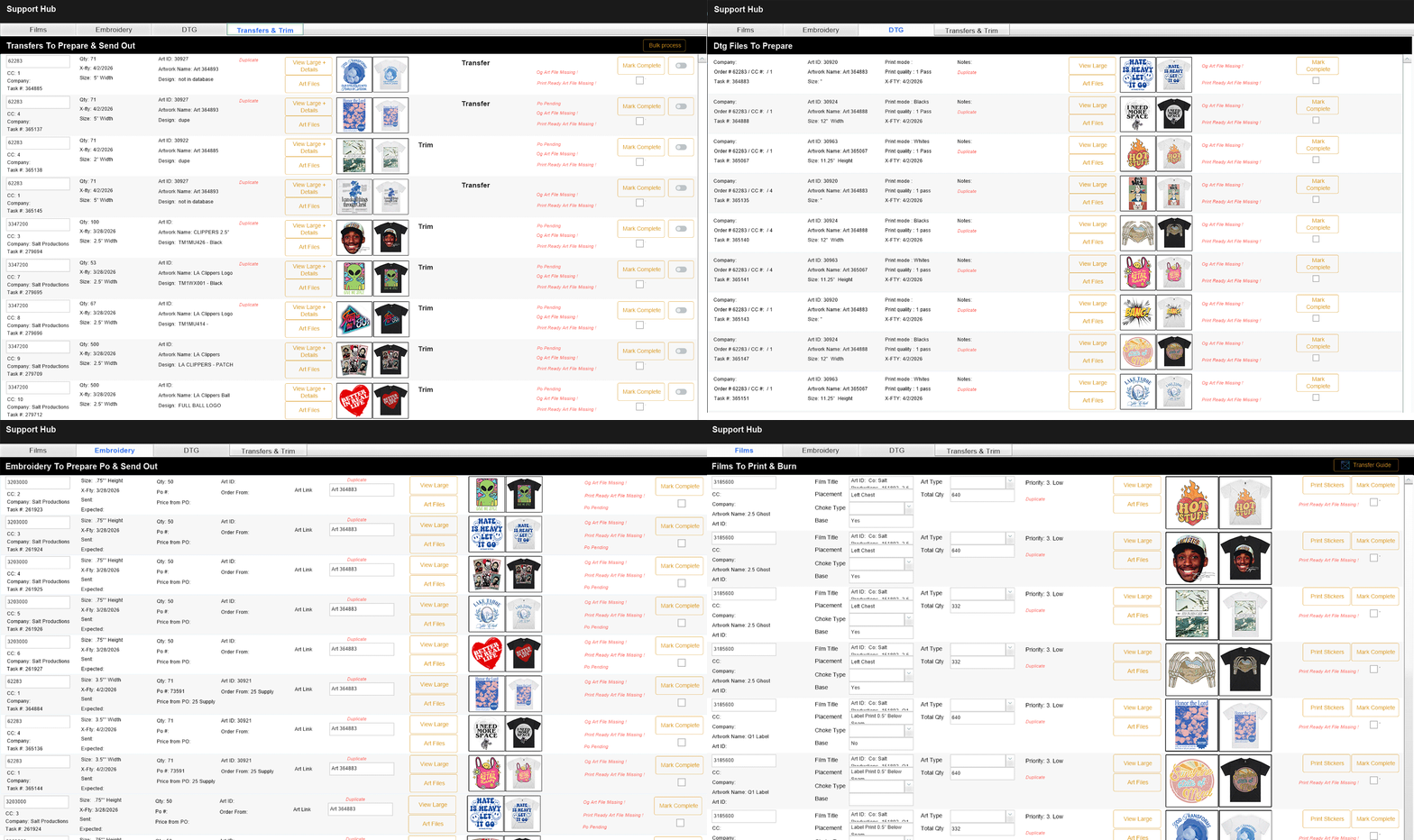
Support
Built-in transfer and firm management. Track requests, confirmations, and status changes in one place - with full history and real-time updates.
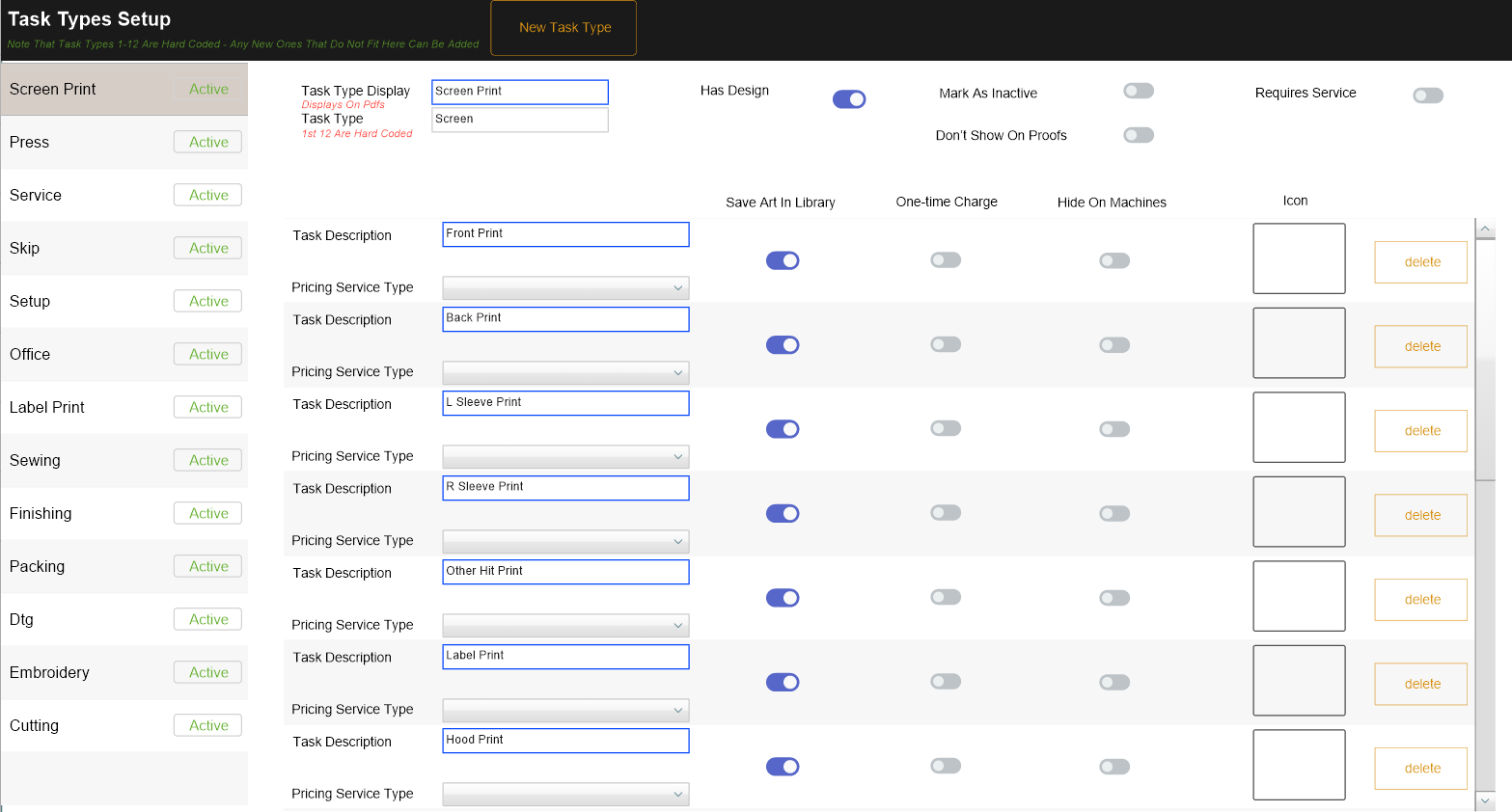
Task Types
Fully configurable task types and decoration methods. Custom fields, workflow rules, and pricing formulas for ANY process you run.
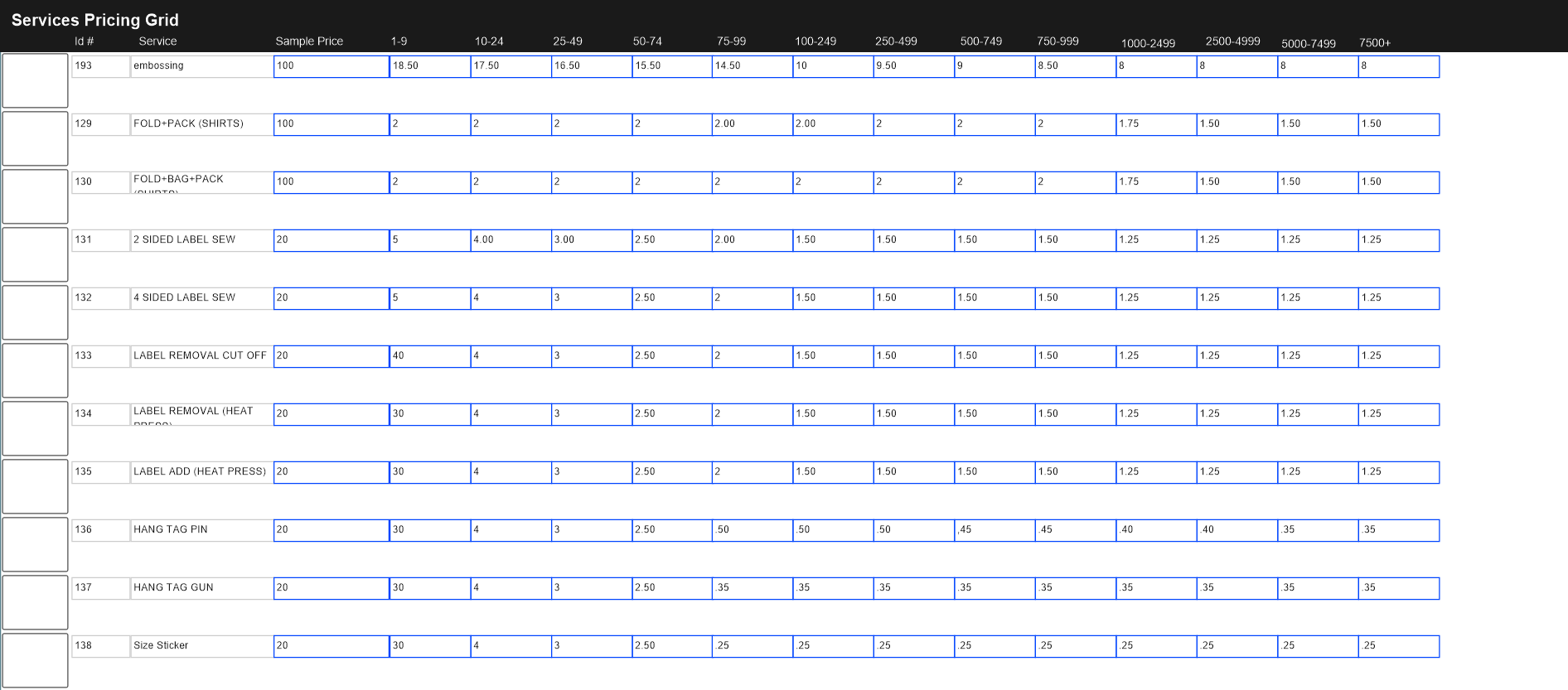
Service Pricing Grid
Dynamic pricing matrices for all decoration types: embroidery (stitch count), screen printing (colors, screens), sewing, and any custom task you offer.
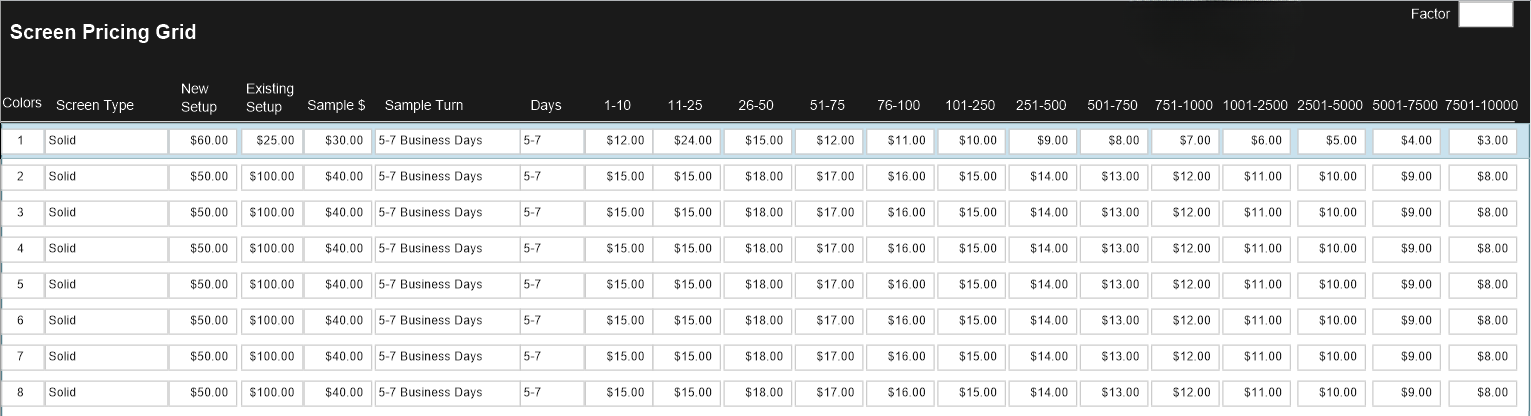
Screen Pricing Grid
Dedicated screen printing pricing matrix. Set rates by color count, quantity breaks, and screen fees - every quote is accurate and consistent.
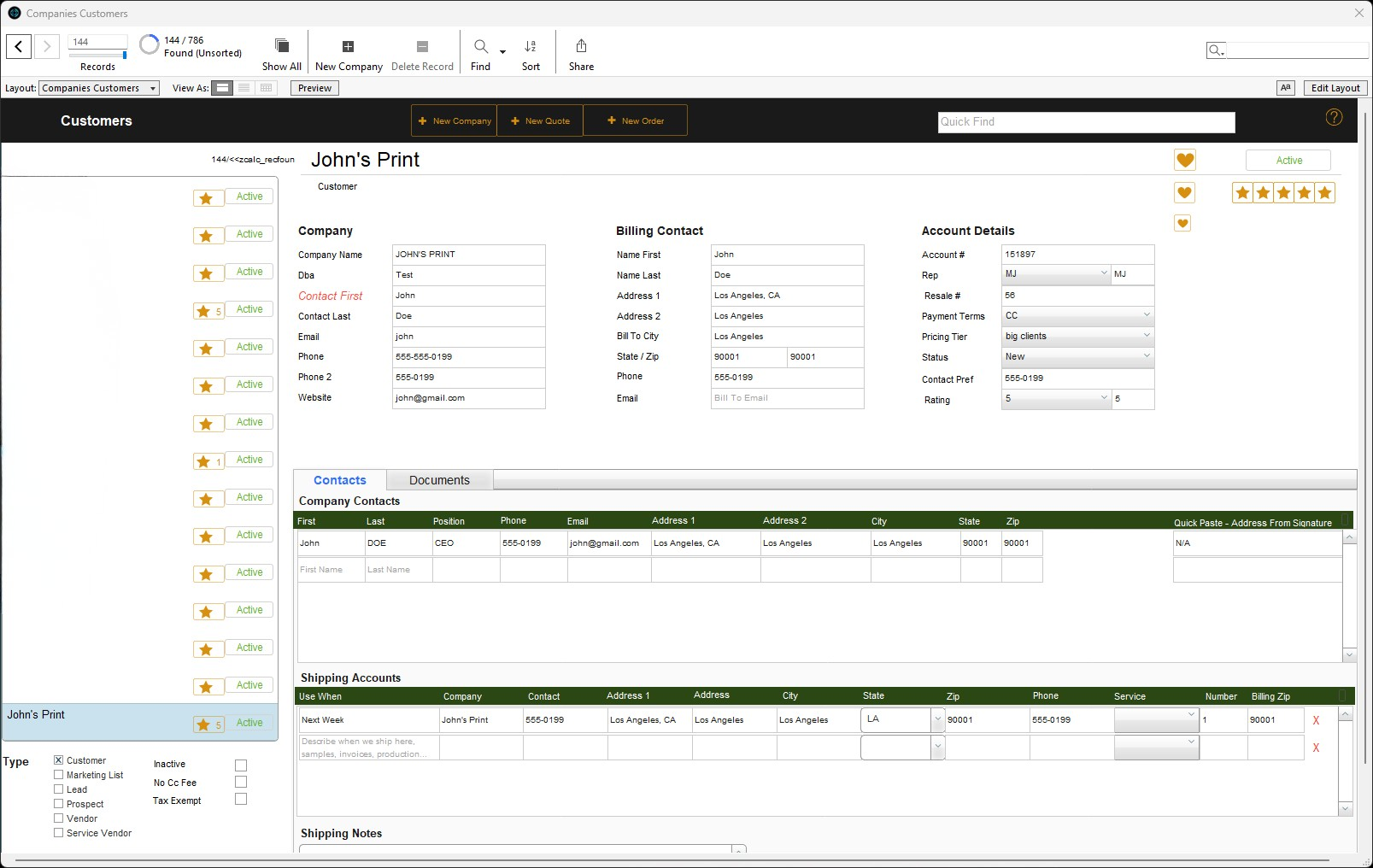
Customers / Vendors
Unified CRM and VRM with complete relationship tracking. Contact cards, order history, notes, and communication logs all in one place.
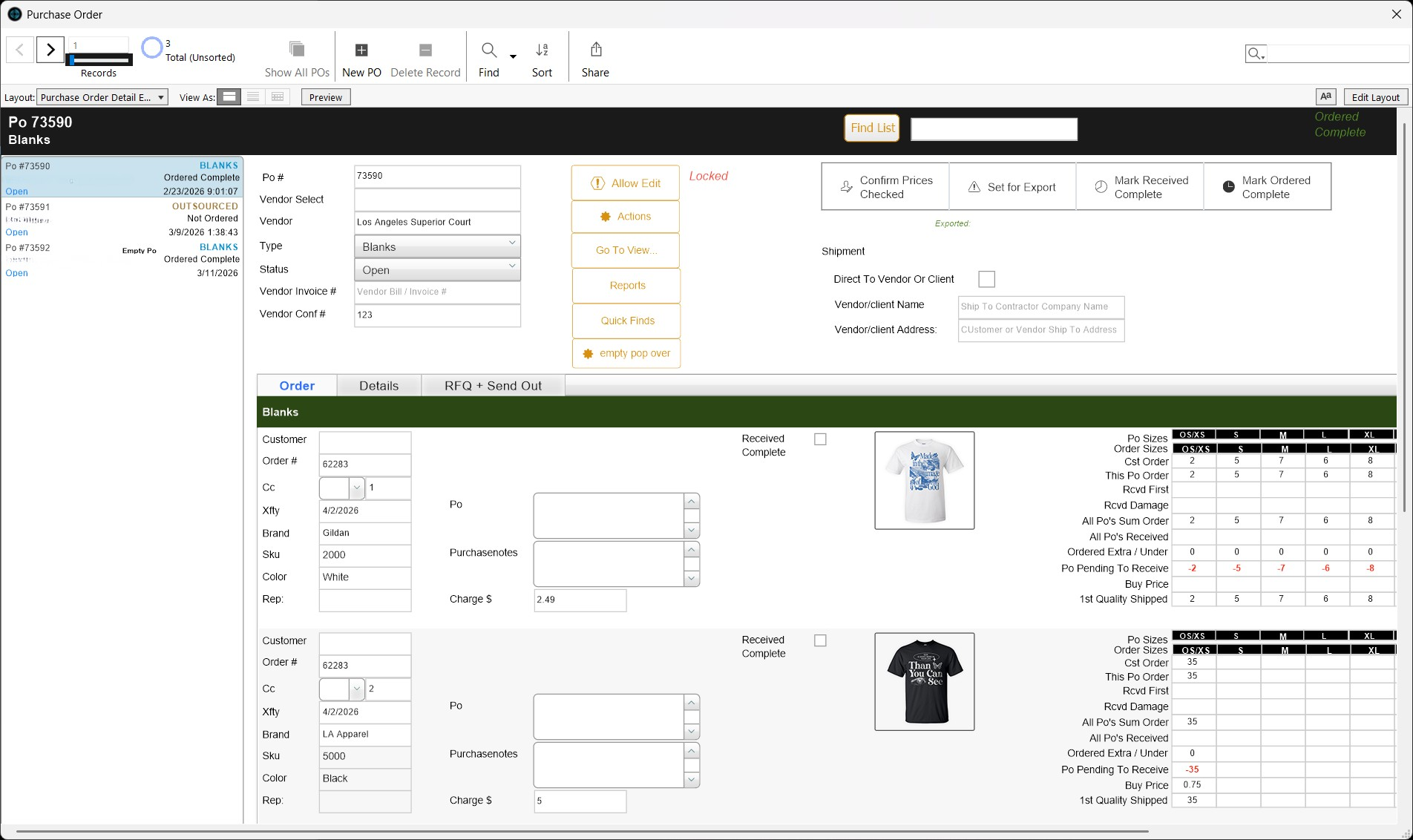
Purchase Orders
Automated PO generation with vendor integration. RFQ workflow for quotes, auto-reordering based on stock levels, and complete order tracking.
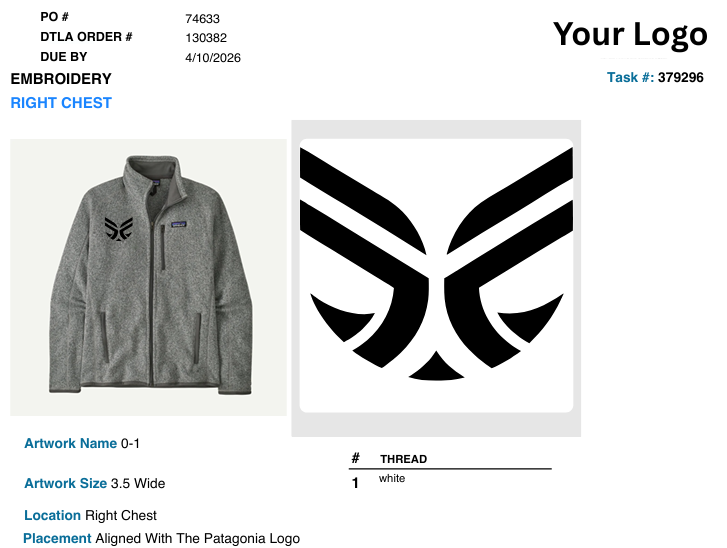
Contractor Work Orders
Digital work order system for contractors. Send work out with detailed spec sheets, track deadlines, and get quality confirmation -all documented.
Reporting
Built-in reporting with real-time dashboards. Track revenue, production output, costs, and profitability - all from one place.
Quotes
Automated quote generation with intelligent pricing matrices. Template library, auto-calculations, and one-click PDF generation.
The Complete System
What Is a Complete Print Shop Management System?
In simple terms, a print shop management system replaces spreadsheets, disconnected apps, and manual processes with one system that handles orders, inventory, production, and customer data in one place.
But the system we run goes further. It connects your customer-facing storefront directly to your back-office operations - so the moment a customer places an order online, your entire shop knows about it. And you never build, patch, or maintain any of it. We do.
Storefront
Customer places an order
Order Management
Order logged and tracked
Inventory
Stock checked automatically
Production
Job hits the floor
Fulfillment
Ships with tracking
Reporting
Numbers update live
If you only need the storefront, start with the ecommerce website we run for print shops. If your issue is backend operations, the FileMaker system we run handles that.
What Happens When Your Website and Operations Don't Talk to Each Other
The cost of disconnected apps.
Your website takes orders. Your system doesn't know about them.
A customer orders at 9pm. Nobody sees it until someone checks email the next morning. Then they re-enter it manually - name, product, sizes, colors, artwork.
Manual data entry creates errors you catch too late.
The order said 50 black mediums and 30 navy larges. Someone transposed the numbers. You don't find out until it's on the press - or after it ships.
You can't see the full picture from anywhere.
Website shows orders. App shows production. Spreadsheet shows inventory. Email shows customer comms. No single view tells you what's happening.
Your team wastes hours on work the system should handle.
Confirmation emails sent manually. Inventory checked by walking to the shelf. Status updates by phone. This is exactly the work we take on. The system handles it, and we run the system.
You're paying for 5 apps that don't connect.
Website hosting. CRM. Inventory spreadsheet. Order app. Accounting. Each costs money. None share data. You're the integration layer - and you don't scale.
Customer Finds You
SEO storefront brings them in
Customer Places Order
Artwork, sizes, checkout
Order Appears in FileMaker
Zero re-entry
Inventory Checked
Stock allocated, POs triggered
Production Scheduled
Tasks per decoration method
Customer Notified
Branded emails, automatic
Order Ships
Label, tracking, revenue logged
How It Works
One Order, One System - From Website to Shipment
Every step connected. No manual handoffs. This is how the print shop automation system we run works in every member shop. See it laid out end-to-end as a production operating system.
Everything We Run for Your Print Shop - Frontend and Backend
The Storefront We Run for You (Frontend)
The Operations System We Run for You (Backend)
Data flows between the storefront and operations system in real time. Orders appear instantly. Inventory syncs automatically. Customer data is shared. Nothing is duplicated, and none of it is yours to maintain. We run both sides.
What a Real Order Looks Like in the Complete System
Customer places an order
Selects 200 Comfort Colors 1717 tees in 4 colors, uploads logo, selects left chest embroidery, checks out. Total calculated automatically. Payment processed.
Order hits your system
Appears in FileMaker immediately. Customer info, products, sizes per color, artwork file, decoration specs, due date - all there. No email to check. No data to re-enter.
Inventory checked
180 of 200 tees in stock. Purchase order for remaining 20 generated automatically and sent to the supplier.
Customer receives confirmation
Branded email sent automatically with order details, estimated delivery, and tracking link.
Blanks arrive
Remaining 20 tees received into the system. Inventory updates. Order fully allocated.
Production begins
Embroidery task created and assigned. Thread colors, placement, stitch count, quantity per size - visible to production team.
Production complete
Task marked complete. Quality checked. Order status updates automatically.
Order ships
Packing slip generated. Shipping label via ShipStation. Tracking sent to customer. Order fulfilled. Revenue logged.
Total manual data entry across the entire flow: zero.
Disconnected Apps vs. One Connected Screen Printing Business System
| Disconnected Apps | Shop Titan Complete | |
|---|---|---|
| Online orders | Re-entered manually | Flow into FileMaker automatically |
| Inventory | Spreadsheet or hand count | Real time, synced with website |
| Customer data | Scattered across apps | One shared record |
| Production | Phone or whiteboard | Tracked per task, visible to all |
| Customer updates | Sent manually | Automated branded emails |
| Reporting | Monthly spreadsheet assembly | On demand, one dashboard |
| Cost | 4-6 separate monthly bills | One platform, one fee |
| Integration | You are the integration | Built in, run by us |
What Happens After You Are Approved
Discovery
We learn your operations and pain points.
FileMaker Setup
We set up pricing, tasks, templates, and migrate your data.
Storefront Build
We build your branding, catalog, artwork upload.
Integration
We connect storefront to FileMaker and test the full flow.
Training
We train office and production staff hands-on.
Go Live
Real orders through both systems.
Support
Slack access to your tech team. Updates included.
Total timeline: 4-6 weeks from approval to go-live
The Network Is Built for Shops Ready to Run on One System
Shops ready to stop duct-taping apps together
Website here, CRM there, spreadsheets for inventory, email for everything else. We replace all of it with one system we run for you.
Growing shops that need online ordering + operations
You're adding online ordering but don't want orders in a separate system. Member shops get everything integrated from day one.
Decorators scaling past manual workflows
At a certain size, manual processes break. We take on that complexity with the print shop automation system we run, so your team can focus on production.
Shops that outgrew Printavo, Shopify, or Airtable
Printavo does orders but not inventory. Shopify does websites but not production. You need a screen printing business system that does it all, with a tech team that runs it.
Not sure if the complete system fits? Ask if your shop qualifies and we'll tell you straight. Or if you're considering whether to hire a FileMaker developer, see why joining the network beats building.
Frequently Asked Questions
What is a print shop management system?
expand_more
A print shop management system is a platform that handles the core operations of a printing or apparel decoration business - quotes, orders, inventory, production scheduling, customer management, and reporting. The Shop Titan complete system also includes an ecommerce storefront, and we run all of it for member shops, frontend to backend.
Do I need both the website and the backend system?
expand_more
Not necessarily. Some member shops start with just the ecommerce storefront or just the FileMaker system. But the complete system is where the real value is - orders flowing from website to production without manual steps. Most shops that start with one add the other within a few months.
Can this all-in-one print shop system replace Printavo?
expand_more
Yes. It covers everything Printavo does - quotes, orders, customer management - plus real inventory tracking, purchase orders, contractor work orders, website integration, and reporting that Printavo doesn't offer. And you don't run any of it alone. We do.
Can this replace my spreadsheets?
expand_more
Yes. Quotes, orders, inventory, customer lists, pricing - everything currently in Excel or Google Sheets moves into one connected system, and we handle the migration. Data flows automatically from there.
How long does setup take for the complete system?
expand_more
Four to six weeks after approval. We build the FileMaker system first (2-3 weeks), then deploy and integrate the storefront (1-2 weeks). We train your team on both during the process.
Is this customizable?
expand_more
Yes. We configure the system to your pricing matrices, decoration methods, email templates, branding, product catalog, and team workflow. It's a proven system, and we handle the personalized configuration.
How much does the complete print shop management system cost?
expand_more
A flat monthly fee covers everything we run - storefront, FileMaker system, cloud hosting, backups, support, and updates. No hourly development fees. Apply and we'll walk you through pricing for your shop size.
What if I already have a website?
expand_more
We can replace it or connect your existing site to the FileMaker system we run. If you have an existing domain and SEO history, we preserve it during migration.
What makes this different from buying separate apps?
expand_more
Integration, and who owns it. With separate apps, you are the integration layer - re-entering data, checking multiple systems, manually bridging workflows. This screen printing business system is built as one platform, and we run it as your tech team. Data flows between storefront and operations automatically.
Can the system grow with my business?
expand_more
Yes. The same print shop automation system handles 50 orders a month and 500+. As you grow, we scale it with you - no rebuilding required.
See How Your Shop Would Run With Us as Your Tech Team
Storefront and back office, connected and run by us. Orders flow from your website to production without a single manual step. We take on a limited number of shops at a time, so if this is how you want to run, apply and we'll walk a real order through the entire system with you.